
Platform migrations are where good SEO rankings go to die.
I’ve watched companies lose 40% of their organic traffic in a single weekend because someone thought “we’ll figure out the redirects later” was an acceptable migration strategy. It wasn’t. TL;DR: Most platform migrations fail because teams treat SEO as a post-launch cleanup job instead of a pre-launch architecture decision. If you want a sanity-check reference that isn’t agency fluff, skim Search Engine Journal’s SEO site migration checklist for the big moving pieces (then come back and do the hard parts): https://www.searchenginejournal.com/seo-site-migration-checklist/ Here are the seven ways I see teams absolutely wreck their search visibility during a move: and exactly how to avoid becoming another cautionary tale.
1. The ‘Wait and See’ Redirect Strategy: A Recipe for Traffic Bloodshed
You know what kills me? When a project manager tells me they’ll “map the important URLs after we see what breaks.”
That’s not a strategy. That’s negligence.
Every URL on your old platform that has backlinks, rankings, or traffic needs a server-side 301 redirect to its new equivalent before launch day. Not after. Not “once we monitor Search Console.” Before.
If you’re changing URL structure (you are), read Google’s own guidance on site moves with URL changes and treat it like a migration spec, not a blog post: https://developers.google.com/search/docs/crawling-indexing/site-move-with-url-changes
Golden Fact: A properly implemented 301 redirect passes 90-99% of link equity to the new URL, but only if it’s a direct, server-side redirect: not a JavaScript redirect or a redirect chain.
And yes, I know someone on the team will try to argue semantics about 302 vs 301 vs “it’ll be fine.” If you need a quick, authoritative refresher on what redirects do and how search engines treat them, Moz’s guide is solid: https://moz.com/learn/seo/redirection
Here’s what happens when you don’t map URLs 1:1 before launch: Your backlinks break. Your customers hit 404 pages. Google starts deindexing your orphaned URLs. And your organic traffic bleeds out while you scramble to build a redirect map post-mortem.
I recently audited a Magento to Shopify migration where the team redirected 80% of their old category pages to the homepage. Just dumped them there. Traffic to those categories dropped 73% in the first month because Google doesn’t reward lazy redirect logic.
Map every single URL. Export your current site structure. Build a redirect file that accounts for product pages, category pages, blog posts, and even those weird legacy landing pages from 2019. Then test it on staging before you flip the switch.

2. Forgetting the ‘Small’ Stuff: Where Your Metadata Goes to Die
Meta descriptions. Alt tags. H1 tags. These aren’t “nice to haves.” They’re ranking signals.
And they disappear during CMS migrations more often than anyone wants to admit.
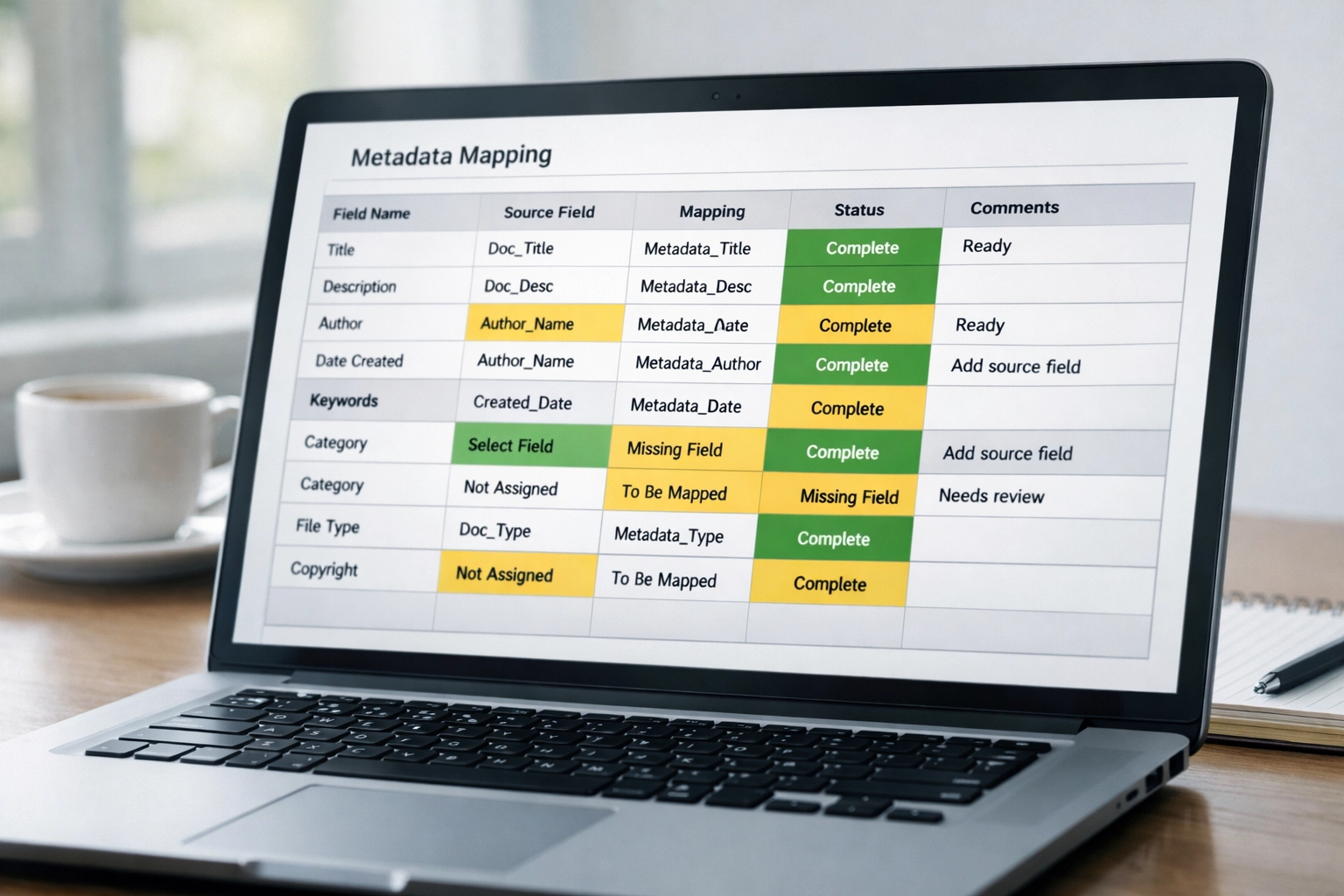
When you move from Magento to Shopify: or any platform to any other platform: your CMS field architecture changes. What was stored as “meta_description” in your old database might not have a direct equivalent in your new one. So unless you explicitly map those fields in your migration script, they vanish.
I’ve seen it happen dozens of times. The developer exports product data, imports it into the new platform, and suddenly 3,000 SKUs have blank meta descriptions and missing alt text. Your image SEO? Gone. Your snippet optimization? Reset to auto-generated garbage.
Golden Fact: Google uses alt text as a ranking signal for image search, and missing or generic alt tags can tank your visual search visibility overnight.
Before migration, export every piece of metadata from your old platform. Create a spreadsheet mapping old CMS fields to new CMS fields. Then have your developer confirm: in writing: that those fields are accounted for in the migration script.
Don’t assume. Verify.
3. The Internal Link Ghost Town: Breaking Your Own Authority Distribution
Your internal link structure is how PageRank flows through your site. It’s your architecture.
And most teams break it completely during a migration.
Here’s the problem: When URLs change, every hardcoded internal link pointing to the old structure becomes a redirect dependency. Your menu links, your footer links, your cross-sell product recommendations: all of them are now routing through 301s instead of directly to the new URLs.
That slows down crawl efficiency. It dilutes link equity. And it creates a redirect chain nightmare if you ever migrate again.
I see this constantly with ecommerce sites moving from Magento to Shopify. The URL structure changes from “/catalog/product-name.html” to “/products/product-name,” but the internal links in blog posts, category descriptions, and footer menus still point to the old paths.
Google crawls those links, hits a redirect, then crawls the new URL. It works, but it’s inefficient. And inefficiency compounds when you’re dealing with thousands of SKUs.
Fix this before launch. Crawl your new site on staging with Screaming Frog. Identify every internal link. Update them to the new URL structure. Eliminate the redirect dependency wherever possible.
If you want a practical walkthrough (and not a bunch of “just monitor it” nonsense), Ahrefs has a clean guide on finding and fixing broken internal links: https://ahrefs.com/blog/broken-links/
4. Robots.txt & Staging Blunders: The Noindex That Wouldn’t Leave
This one is embarrassing, but it happens more than you’d think.
You launch your new platform. Traffic immediately tanks. You check Search Console and realize your entire site is blocked from indexing.
Why? Because someone forgot to remove the staging environment’s “Disallow: /” directive from the robots.txt file.
Or worse: the site went live with a noindex meta tag still in place from development. Google sees it, respects it, and starts deindexing your pages.
Golden Fact: A single noindex tag or robots.txt misconfiguration can deindex your entire site in 48-72 hours if left unchecked.
I worked with a B2B Magento store that launched a redesign and lost 60% of their indexed pages in four days because their robots.txt file was still set to block everything except the homepage. The developer copied the staging file to production. Simple mistake. Catastrophic result.
Before launch, audit your robots.txt file. Confirm there are no blanket disallow rules. Check for noindex tags in your header. And for the love of search visibility, make sure your staging environment is password-protected and blocked from crawlers at the server level: not just with a meta tag.
5. Image Path Neglect: Losing Visual Search Rankings You Didn’t Know You Had
Images aren’t just for conversion optimization. They’re a ranking signal.
And when you migrate platforms, image URLs almost always change. That means every product image that was ranking in Google Image Search now points to a dead link.
Most teams don’t redirect image URLs. They migrate the product pages and assume the images will follow. They don’t.
I audited a home goods retailer that moved from Magento to Shopify and lost 23% of their organic traffic because their product images were generating significant visual search traffic: and all of those image URLs broke during the migration.
Golden Fact: Google Image Search drives 22.6% of all web searches, and image URL changes without proper redirects can result in complete loss of image-based traffic.
Your image paths need redirects just like your page URLs. Map old image CDN paths to new ones. Test image indexation on staging. And if you’re moving to a new CDN or image hosting provider, make sure those old image URLs 301 to the new location.

6. The JS-Rendering Trap: When Your New Theme Is Invisible to Google
Headless commerce is trendy. JavaScript-heavy themes are fast. But if you don’t implement server-side rendering correctly, Google can’t see half your content.
I’ve watched companies migrate to a slick, React-powered Shopify theme and then wonder why their organic traffic dropped 35% in the first month. The answer? Their product descriptions, reviews, and metadata were all rendering client-side. Google’s crawler saw a skeleton HTML page with no content.
JavaScript rendering is not a guarantee. Google can render JS, but it’s slower, less reliable, and dependent on network conditions. If your migration involves moving to a JS-heavy theme or a headless setup, you need to confirm that critical SEO content is available in the initial HTML response: not lazy-loaded after JavaScript executes.
Test this on staging. Use Google’s Rich Results Test or the Mobile-Friendly Test to see what Google actually sees. If your H1, product descriptions, or schema markup aren’t visible in the raw HTML, you have a problem.
Fix it before launch. Implement server-side rendering for SEO-critical content. Or choose a theme that prioritizes crawlability over visual flair.
7. Post-Launch Ghosting: Why Migration Day Is Just the Beginning
Here’s the dirty secret about platform migrations: The work doesn’t end when the site goes live.
Most teams treat launch day as the finish line. They flip the switch, celebrate, and move on to the next project.
Then three weeks later, they notice a 20% traffic drop and have no idea why.
Post-launch monitoring is non-negotiable. You need to watch Search Console for 404 errors. You need to track indexation status. You need to monitor rankings on your high-value pages.
Golden Fact: The average platform migration generates 200+ new 404 errors in the first 30 days due to missed redirects, broken internal links, and external backlinks pointing to old URL structures.
I spend the first 30 days after a migration in forensic mode. Daily Search Console checks. Weekly crawls with Screaming Frog. Tracking Core Web Vitals and TTFB to make sure server performance didn’t degrade.
Because problems compound. A few broken redirects turn into dozens of 404s. A slow server response turns into crawl budget waste. And if you’re not monitoring, you won’t catch it until the damage is done.
Set up automated alerts in Search Console for indexation drops. Schedule weekly crawls. And don’t assume everything is fine just because the site looks good in your browser.
Platform migrations are high-risk, high-reward. Get it right, and you maintain your rankings while gaining new platform capabilities. Get it wrong, and you’re rebuilding your organic presence from scratch.
I’ve seen both outcomes. The difference isn’t luck: it’s preparation.
If you’re planning a migration and want to avoid becoming a cautionary tale, let’s talk. I audit pre-launch environments, map redirect strategies, and monitor post-launch performance to keep your organic traffic intact. Because migration failures are expensive, and prevention is cheaper than recovery.